
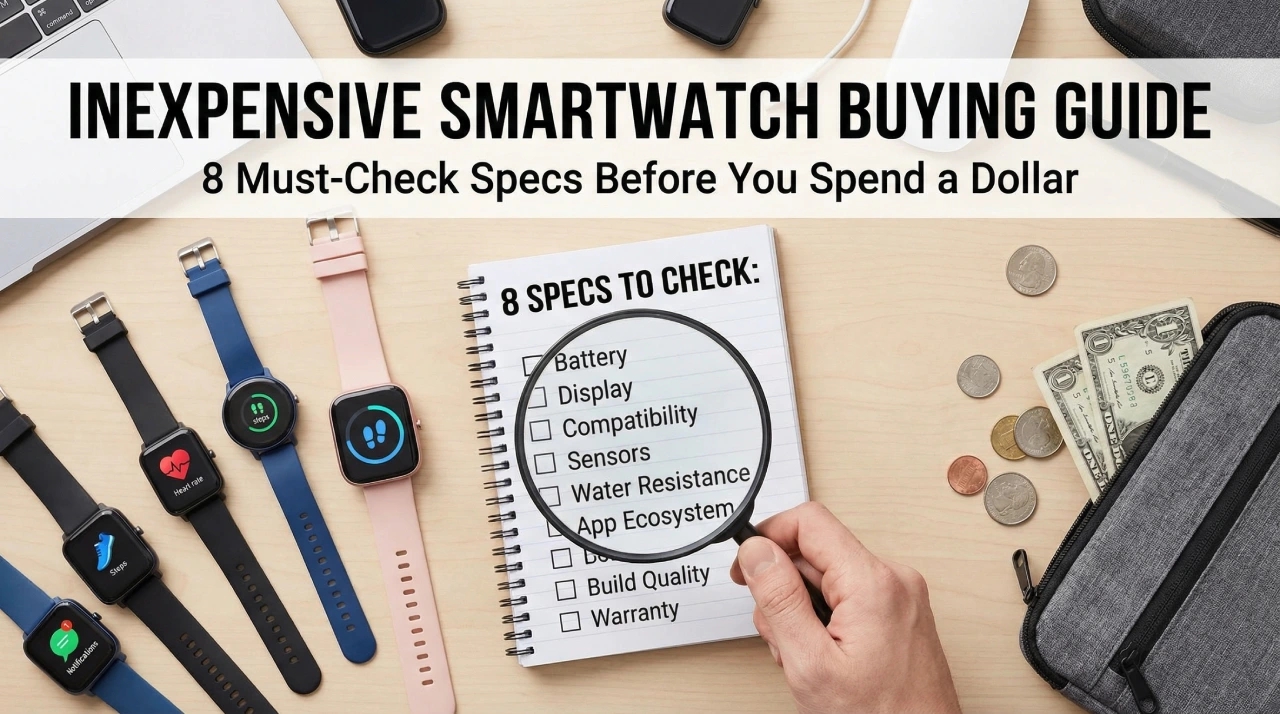
You open a product listing for a budget smartwatch. The bullet points look great: heart rate monitor, sleep tracking, blood oxygen, 100+ sport modes, 30-day battery life, IP68 waterproof. The price is $28. You think, “This covers everything I need.” You buy it.
Two weeks later, the companion app crashes every time you open it. The heart rate readings are all over the place. Notifications stop syncing after 20 minutes away from your phone. The “30-day battery” drains in four days with normal use. The watch is not broken. It just never did what the listing implied.
This is the most common pattern in the inexpensive smartwatch market right now. Not outright fraud, just a spec sheet that is technically true in the best possible conditions, built to impress people who do not yet know which numbers actually matter. This guide covers the 8 specs that separate a smartwatch worth buying from one worth returning. Every spec here is based on hands-on testing data and real user feedback across the budget smartwatch segment, from $15 entry-level picks all the way to the $50 ceiling where things genuinely start to get good.
Table of Contents
- 1. Display Type: Why the Screen Technology Matters More Than Its Size
- 2. Battery Life Benchmarks: What Numbers to Actually Demand From a Budget Smartwatch
- 3. Health Sensor Accuracy: Separating Useful Data From Marketing Fluff
- 4. Water Resistance Ratings Decoded: IP68, 5 ATM, and What They Will Not Tell You
- 5. Compatibility and Connectivity: Check These Two Things Before Anything Else
- 6. Build Quality and Comfort: The Specs That Never Appear on the Box
- 7. Fitness and Sport Modes: How Many Is Actually Enough
- 8. Price-to-Spec Ratio: How to Find the Real Sweet Spot Between $15 and $50
- Frequently Asked Questions
- Is an inexpensive smartwatch worth buying or is it just a waste of money?
- Will a cheap smartwatch work with my iPhone?
- Can an inexpensive smartwatch track swimming?
- How long do budget smartwatches actually last before they break or become unusable?
- Do budget smartwatches need a subscription to work?
- Can a cheap smartwatch make phone calls?
- What is the return policy if the smartwatch does not work with my phone?
- Final Thoughts
1. Display Type: Why the Screen Technology Matters More Than Its Size
The first thing most people check when comparing cheap smartwatches is screen size. That is understandable. A larger number looks like a better product. The problem is that screen size without context tells you almost nothing about whether the display is actually usable in daily life.
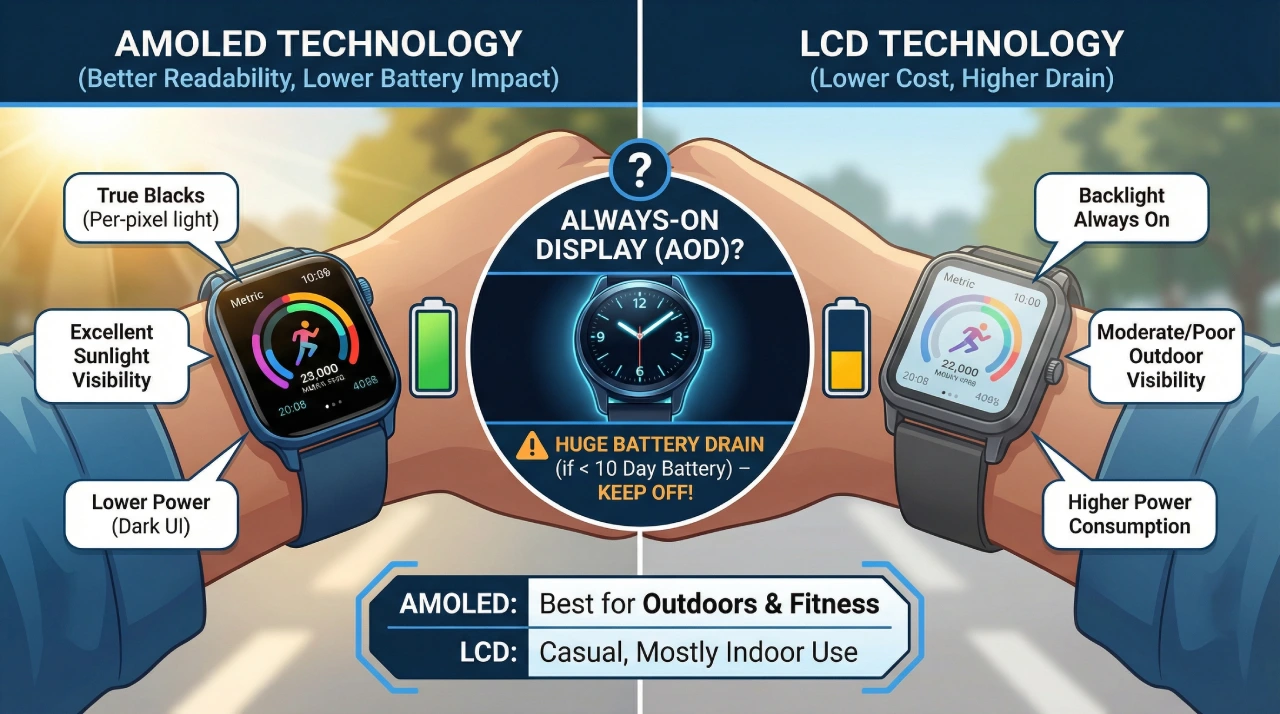
The technology behind the screen matters far more. There are two main types you will encounter in the sub-$50 price range: AMOLED and LCD. AMOLED screens produce light on a per-pixel basis, which means black pixels are truly off. This results in deeper contrast, more vivid colors, and significantly better readability in bright sunlight. LCD screens use a backlight behind a liquid crystal layer. They are cheaper to manufacture, which is why you see them in the most affordable budget smartwatch options, but they can look washed out outdoors and consume more battery to maintain brightness.
To put this in practical terms: the HUAWEI Band 10 uses a 1.47-inch AMOLED screen, and the Cillso Fitness Smartwatch uses a 1.83-inch LCD. Despite the HUAWEI being physically smaller, most users will find it easier to read during a run, on a sunny commute, or in any lit environment. Bigger does not always mean better when the technology underneath is weaker.
AMOLED vs. LCD at a Glance
| Feature | AMOLED | LCD |
|---|---|---|
| Sunlight readability | Excellent | Moderate to poor |
| Color accuracy | High | Acceptable |
| Battery impact | Lower (dark UI helps) | Higher (constant backlight) |
| Common price range | $35 and above | Under $35 |
| Best for | Outdoor users, fitness | Casual, mostly indoor use |
Always-On Display: Should You Turn It On?
Always-on display (AOD) is available on some budget smartwatches and sounds like a straightforward convenience. It keeps the time visible without a wrist raise or tap. In practice, AOD cuts battery life significantly on any AMOLED-based fitness smartwatch, sometimes reducing a 14-day battery down to 5 or 6 days. Unless your smartwatch battery rating exceeds 10 days with AOD disabled, keep it off. The wrist-raise gesture on modern budget models responds fast enough that AOD rarely adds meaningful value at this price tier.
2. Battery Life Benchmarks: What Numbers to Actually Demand From a Budget Smartwatch
Battery life claims on inexpensive smartwatch listings are almost always the most inflated numbers on the page. Manufacturers test under ideal conditions: low brightness, minimal notifications, heart rate monitoring disabled, and no always-on features. That scenario does not match how most people use a smartwatch day to day.
A realistic rule of thumb is to expect 40 to 60 percent of the advertised battery life if you use notifications, continuous heart rate monitoring, and moderate screen brightness together. The Amazfit Bip S Lite advertises up to 30 days. In normal use with heart rate active, most users land between 18 and 22 days. That is still excellent for a budget smartwatch. But a watch claiming “10-day battery” under similar real-world conditions may deliver closer to 4 or 5 days, which is genuinely frustrating if you are used to charging your phone once a day and expected the watch to be different.
What the Charging Method Tells You About the Product
Pay attention to how the watch charges. Proprietary magnetic charging pins are standard on most fitness smartwatches under $50, including the Xiaomi Mi Band 10 and HUAWEI Band 10. This is not a dealbreaker, but it means that if you lose the cable, you need to find the exact replacement. Models using standard USB-C charging are easier to manage, especially when traveling.
Charging time is another spec that rarely gets highlighted. The Cillso Fitness Smartwatch charges in about 1.5 hours. Some generic budget models take 2.5 to 3 hours. If your smartwatch dies overnight and you need it charged before a morning workout, that difference matters more than the spec sheet suggests.
Minimum battery benchmarks by user type:
- Casual user (notifications + step tracking only): 7 days minimum
- Active user (continuous HR + sleep tracking): 10 days minimum
- Low-maintenance user (wants to charge weekly or less): 14+ days, look at Amazfit or Huawei Band options
3. Health Sensor Accuracy: Separating Useful Data From Marketing Fluff
Health tracking is the feature most buyers prioritize in a fitness smartwatch, and it is also the area where cheap smartwatches vary most dramatically. The spec list might say “heart rate monitor, blood oxygen, blood pressure, sleep tracking, stress monitoring” and still deliver readings that are inconsistent enough to be misleading rather than useful.
Understanding what these sensors can and cannot do at this price point sets realistic expectations and helps you buy the right device for your actual needs.
Heart Rate Monitoring: Useful, With Conditions
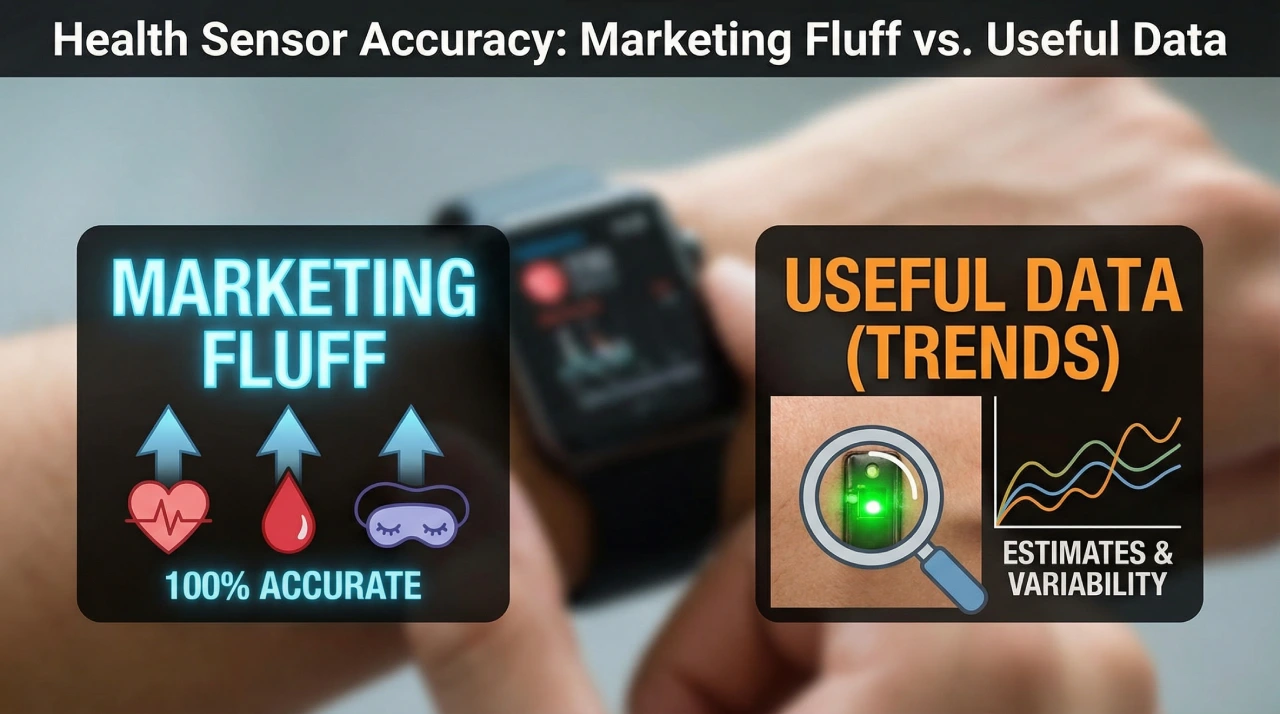
Budget smartwatches use optical PPG sensors for heart rate detection. A green light shines into your skin and the sensor measures blood flow changes. This technology works, but accuracy depends on placement, fit, skin tone, and how much you move. Continuous heart rate monitoring, where the watch checks your HR every few seconds, is the most useful mode for fitness tracking but also the heaviest drain on battery life.
Of the tested models in Tigeristic’s budget lineup, the HUAWEI Band 10 and Parsonver Fitness Tracker perform best for 24-hour continuous HR. If you are buying a fitness smartwatch primarily for workout heart rate zones, continuous monitoring is the spec to confirm. On-demand HR (where you tap the watch to take a reading) is less useful for actual fitness training.
Blood Oxygen and Blood Pressure: Trend Tracking, Not Clinical Readings
SpO2 (blood oxygen) and blood pressure readings on consumer-grade devices like the Popglory Smartwatch are estimates based on optical sensors, not medical-grade measurements. These devices are not medical tools. They can be useful for tracking general trends over time, such as noticing your SpO2 typically dips on poor sleep nights, but they should never replace professional medical monitoring.
Blood pressure readings on budget smartwatches are particularly variable and should be treated as rough directional data only. If you want SpO2 for wellness and sleep monitoring, it is a worthwhile spec. If you need accurate clinical readings, a dedicated pulse oximeter costs under $15 and is far more reliable.
Sleep Tracking: The Underrated Predictor of Overall Quality
Sleep tracking accuracy on a budget smartwatch often correlates directly with how good the other sensors are. If a watch tracks sleep stages poorly, it usually means the heart rate sensor sampling rate is low, which also affects fitness accuracy.
The HUAWEI Band 10 is a standout here, with consistent sleep stage detection and a clean interface for reviewing overnight data. The Xiaomi Mi Band 10, despite having an excellent display and fitness features, has been noted for weaker sleep tracking performance relative to its other specs. If sleep monitoring is your main priority, check the companion app’s sleep data screenshots in user reviews before buying.
4. Water Resistance Ratings Decoded: IP68, 5 ATM, and What They Will Not Tell You
Water resistance is one of the most misused claims in the inexpensive smartwatch market. “Water resistant” as a standalone phrase with no associated rating is essentially meaningless from a practical standpoint. It might survive a splash, or it might not. You need a number.
Here is what the main ratings mean in plain terms:
- IP68: Rated for submersion up to 1.5 meters for 30 minutes. Safe for sweat, rain, hand washing, and brief accidental submersion. Not reliable for lap swimming or water sports.
- 5 ATM (50 meters): Rated for recreational swimming, pool sessions, and shower use. The Xiaomi Mi Band 10 carries this rating. It is the minimum you should accept if you want to swim with a fitness smartwatch on your wrist.
- “Water resistant” (no rating): Use around water at your own risk. Most of the ultra-budget models in the $15 to $20 range fall here.
The Conditions That Void Your Water Resistance
Even properly rated waterproof smartwatches have limits that are not printed on the box. Hot tubs, saunas, and saltwater exposure accelerate the degradation of the internal seals. Soap, sunscreen, and chlorine wear down gasket materials over time. If you swim with your smartwatch regularly, rinse it with fresh water after each pool session. This applies even to 5 ATM rated models.
The practical recommendation is simple: for gym use and daily life, IP68 is more than sufficient. For swimming, running in rain, or beach wear, do not buy below 5 ATM. The Amazfit Bip S Lite’s 5 ATM rating, combined with its battery life, makes it a standout choice among affordable smartwatches for active users.
5. Compatibility and Connectivity: Check These Two Things Before Anything Else
A smartwatch that does not pair reliably with your phone is not a smartwatch. It is an overpriced pedometer. Compatibility issues are among the top complaints in user reviews for budget smartwatch models, and most of them could be avoided by checking two things before purchase: operating system support and companion app quality.
iOS vs. Android: Full Compatibility Is Not Always What It Claims to Be
Most inexpensive smartwatches list iOS and Android support. That is technically accurate in most cases, but the experience can be significantly different between platforms. Huawei Health, the companion app for the HUAWEI Band 10, works on both but some advanced features are limited on iOS due to Apple’s background app restrictions. The Amazfit Bip S Lite pairs through the Zepp app, which has strong Android support and acceptable iOS functionality.
The companion app rating on the Google Play Store and Apple App Store is one of the best free quality signals available. Apps with consistent 4.0 ratings or above, and recent update history, are far more likely to deliver stable notifications and accurate data sync. Apps sitting at 3.2 with complaints about disconnection, missing data, and crashes should be a hard stop regardless of how good the watch hardware looks. The Cillso Fitness Smartwatch supports GloryFit and VeryFit, both of which have functional but basic ecosystems compared to Zepp or Huawei Health.
Notifications: What “Full Notification Support” Actually Means on a $30 Watch
On most budget and affordable smartwatch models under $50, notification support means you can read incoming messages on your wrist. You cannot reply. You cannot dictate a response. You can dismiss or ignore the alert. That is the realistic scope of Bluetooth calling and notification functionality at this price point, with some exceptions.
Bluetooth stability also matters here. Notification delays of 10 to 30 seconds are common. Reconnection after the watch and phone separate, such as leaving your phone in another room, can be inconsistent on models like the Fitpolo Fitness Tracker and Motast Smartwatch. If staying connected is important for your workflow, prioritize watches with established companion apps over generic no-name models, even within the same price range.
6. Build Quality and Comfort: The Specs That Never Appear on the Box
A smartwatch you do not want to wear is useless regardless of how good the sensor data is. Build quality and comfort are subjective, but there are measurable indicators you can check before buying even without handling the product in person.
Strap Material and Band Width Matter More Than You Think
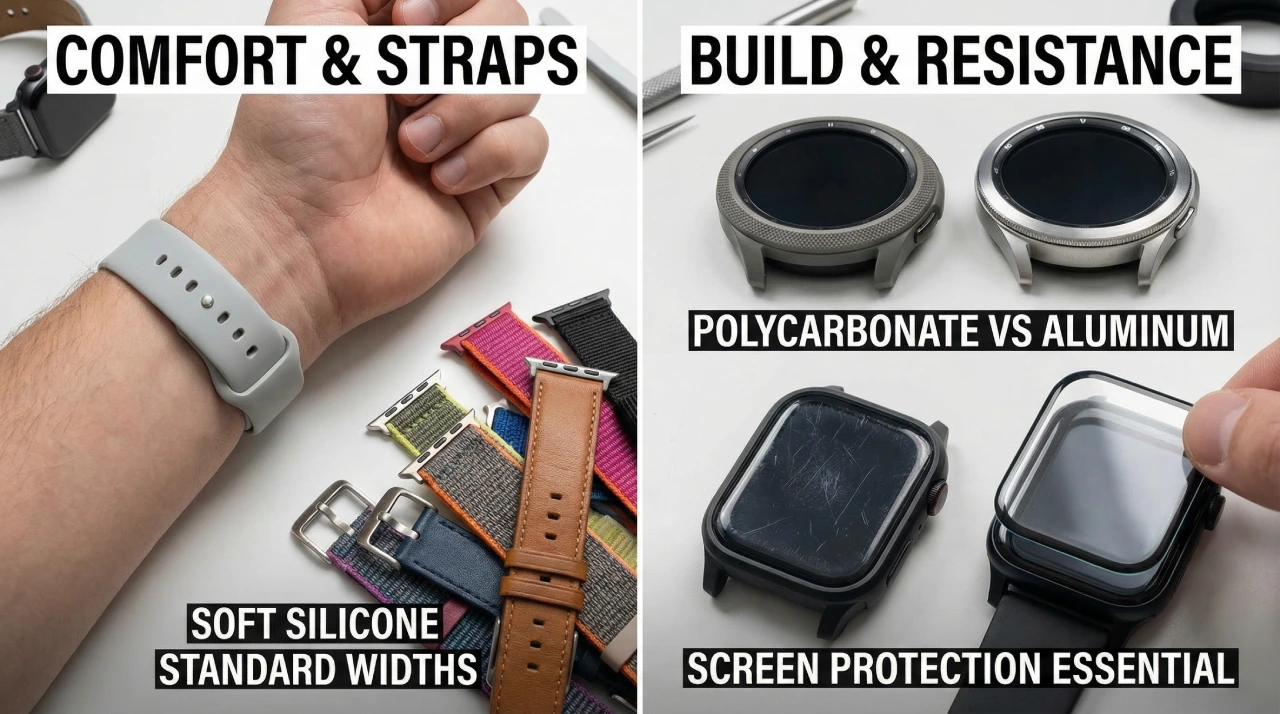
The strap is the part of a smartwatch that contacts your skin for potentially 18 to 22 hours a day. Budget smartwatches almost universally use silicone bands, but silicone quality varies considerably. Stiff, rigid silicone causes skin irritation during extended wear, particularly during workouts and sleep. The Fitpolo Fitness Tracker is specifically noted for its lightweight and comfortable strap, which contributes to its strong ratings for all-day and sleep wear.
Band width standardization is a practical consideration that buyers often overlook. Watches using 20mm or 22mm standard band widths allow you to swap in third-party straps for a few dollars. Proprietary widths lock you into the manufacturer’s strap options, which are often more expensive and harder to find. If you plan to wear the watch for more than a year, band replaceability matters.
Case Material, Screen Glass, and Scratch Resistance
Most budget smartwatches use polycarbonate plastic cases, which keep weight down but show wear faster than aluminum alloy bezels. Neither is inherently bad for a sub-$50 device, but it is worth noting. What matters more at this price is screen protection.
The Xiaomi Mi Band 10, despite having an excellent large AMOLED display, has been flagged in user reviews for easy-to-scratch glass. Without a screen protector applied on day one, the screen can show visible scratches within a few weeks of daily use. This is a minor but avoidable frustration. A $2 pack of compatible screen protectors eliminates the problem entirely.
7. Fitness and Sport Modes: How Many Is Actually Enough
Walking past the “100+ sport modes” claim on a budget smartwatch listing without stopping to ask what that actually means is one of the most common buying mistakes in this category. More sport modes is not inherently better. What matters is whether the modes you actually use are implemented accurately.
The Sport Mode Numbers Game
At the firmware level, most sport modes on inexpensive smartwatches function by applying a different activity label to the same underlying data: step count, heart rate, and elapsed time. The difference between “Mountain Hiking” mode and “Outdoor Walking” mode on a $25 watch is often just the label attached to your session in the app. The Parsonver Fitness Tracker advertises 100+ sport modes. The Fitpolo Fitness Tracker offers 9. Both are solid fitness smartwatches. The real difference in value comes from whether the core modes like walking, running, cycling, and swimming (if rated) produce clean, accurate session data.
The modes that deliver the most value in the sub-$50 segment are: outdoor walking, running, cycling, gym workout, and swimming if the watch carries a 5 ATM rating. Everything else on a cheap smartwatch is largely cosmetic.
Built-In GPS vs. Connected GPS vs. No GPS
True built-in GPS is almost nonexistent in the sub-$50 smartwatch market. Some variants of the Amazfit Bip S Lite include it, making it a rare exception and one of the strongest arguments for choosing that model if you run outdoors without your phone.
Connected GPS, where the watch uses your smartphone’s GPS signal during a workout, is the next best option and is available on several models in this range. It requires you to carry your phone on runs, but it produces accurate route maps and pace data in the companion app. No GPS at all means distance estimates are calculated from step count and stride length, which can be off by 10 to 20 percent depending on your gait. For gym users and casual walkers, no GPS is fine. For outdoor runners and cyclists who care about accurate distance data, it is a meaningful limitation to know about before buying.
8. Price-to-Spec Ratio: How to Find the Real Sweet Spot Between $15 and $50
Not every inexpensive smartwatch is built the same, and the $35 gap between the cheapest and most expensive options in this category produces real, measurable differences in daily experience. The best way to avoid overpaying for nothing or underpaying for disappointment is to match your use case to the right price tier from the start.
The Three Budget Smartwatch Tiers
$15 to $25 (Popglory, Motast): These are entry-level picks best suited for first-time smartwatch buyers, kids, or users who need a basic health data overview without relying on the watch heavily. Expect LCD displays, shorter battery life, basic notification support, and no third-party app support. Health readings are directional, not precise. These are good for gifting or testing whether a smartwatch fits your lifestyle before investing more.
$25 to $40 (Parsonver, Fitpolo, Cillso): This tier delivers reliable fitness tracking, acceptable battery life, and companion apps that work consistently. Notification support is stable, sport modes are functional, and the strap quality is noticeably better. If your budget is fixed and fitness tracking is the primary goal, this range covers most daily needs without compromise.
$40 to $50 (HUAWEI Band 10, Amazfit Bip S Lite, Xiaomi Mi Band 10): This is where the inexpensive smartwatch market genuinely delivers. AMOLED displays, 14 to 30 day battery life, accurate continuous heart rate monitoring, and companion apps from established brands with real development teams behind them. If you can reach this tier, the difference in daily experience compared to the $20 bracket is significant and immediately noticeable.
The Three Specs With the Strongest Correlation to User Satisfaction
Across hundreds of verified user reviews on models in this price range, three specs consistently separate highly rated affordable smartwatches from the ones that end up in a drawer: battery life, display type, and companion app quality. Get all three right and the rest of the spec sheet becomes much less critical. Compromise on two or more and no amount of extra sport modes or sensor marketing will fix the daily experience.
Frequently Asked Questions
Is an inexpensive smartwatch worth buying or is it just a waste of money?
It depends entirely on your expectations. If you want GPS navigation, on-watch app downloads, or Apple Watch-level notification management, a sub-$50 smartwatch will disappoint you. If you want step tracking, sleep data, heart rate monitoring, and basic phone notifications from a device that lasts more than a week on a charge, the current crop of budget smartwatches from Huawei, Xiaomi, and Amazfit deliver genuine value.
Will a cheap smartwatch work with my iPhone?
Most will, but with limitations. Apple restricts background Bluetooth data for third-party apps, which can cause notification delays and sync gaps on budget models. The HUAWEI Band 10 and Amazfit Bip S Lite have better iOS optimization than generic budget models, but neither matches the seamless experience you would get pairing with an Android phone.
Can an inexpensive smartwatch track swimming?
Only if it is rated at 5 ATM or higher. IP68-rated models should not be used for lap swimming. The Xiaomi Mi Band 10 (50M waterproof) is the most accessible option in this range for pool use. The Amazfit Bip S Lite, despite its 5 ATM rating, does not include a dedicated swim tracking mode, so session data for swimming is limited.
How long do budget smartwatches actually last before they break or become unusable?
Build quality varies, but most users report 18 to 24 months of functional use from models like the Amazfit Bip S Lite and Xiaomi Mi Band 10 with reasonable care. The strap typically wears out before the electronics do. Battery capacity can degrade after 300 to 400 charge cycles, which at once-a-week charging equates to roughly 6 to 8 years. At once-every-four-days, that drops to about 3 to 4 years.
Do budget smartwatches need a subscription to work?
No. All the models covered in Tigeristic’s tested lineup use free companion apps. There are no subscription fees for accessing your health data. Some apps offer optional premium features, but the core tracking and notification functions are free.
Can a cheap smartwatch make phone calls?
A small number of budget smartwatches support Bluetooth calling, where calls are routed through the watch speaker and microphone using your phone’s connection. Most models under $50, including the Fitpolo and Motast, do not support this. If Bluetooth calling is a priority, check the spec listing explicitly and confirm the feature in user reviews, as it is sometimes listed but poorly implemented.
What is the return policy if the smartwatch does not work with my phone?
This depends on the retailer. Amazon purchases typically fall under a 30-day return window. Budget smartwatch manufacturers often provide limited warranty coverage of 30 to 90 days. Before buying, check both the retailer return window and any manufacturer warranty documentation linked in the product listing.
Final Thoughts
Buying an inexpensive smartwatch in 2026 does not require settling for a bad product. It requires knowing which 8 specs to evaluate before placing the order. To recap quickly: check the display type (AMOLED beats LCD at any size), verify realistic battery life rather than advertised maximums, confirm what the health sensors actually track accurately, match the water resistance rating to how you actually live, test the companion app rating before buying the hardware, assess strap quality and band width replaceability, count only the sport modes you will genuinely use, and spend as close to the $40 to $50 ceiling as your budget allows for the strongest overall experience.
The models that score best across all 8 of these specs in current testing are the HUAWEI Band 10, Amazfit Bip S Lite, and Xiaomi Mi Band 10. For side-by-side comparisons, real-use scores, and current pricing, the full breakdown is in Tigeristic’s Best Smartwatches Under $50 guide. If you are still deciding between a dedicated fitness tracker and a full smartwatch, the Smartwatch vs Fitness Tracker guide covers that distinction in detail before you commit to either.